LifeSaver
Designing a decentralized healthcare system that enables non-experts to deliver safe, guided medical care in remote and extreme environments.
My Contributions
Designed mobile and AR interfaces
Built wireframes and high-fidelity prototypes
Supported usability testing
Iterated designs based on field-test feedback
Problem
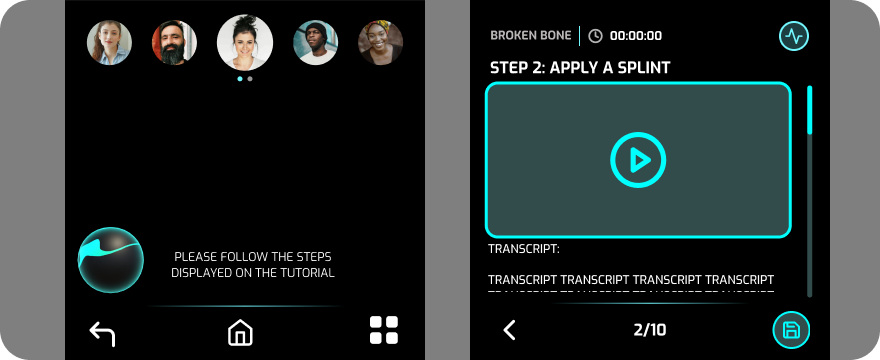
Healthcare systems today are highly centralized, expensive, and often inaccessible in rural regions, disaster zones, and future off-world missions. In these environments, trained medical professionals may not be available when care is urgently needed.
How might we empower non-experts to confidently deliver safe, effective medical care under stress?
Solution
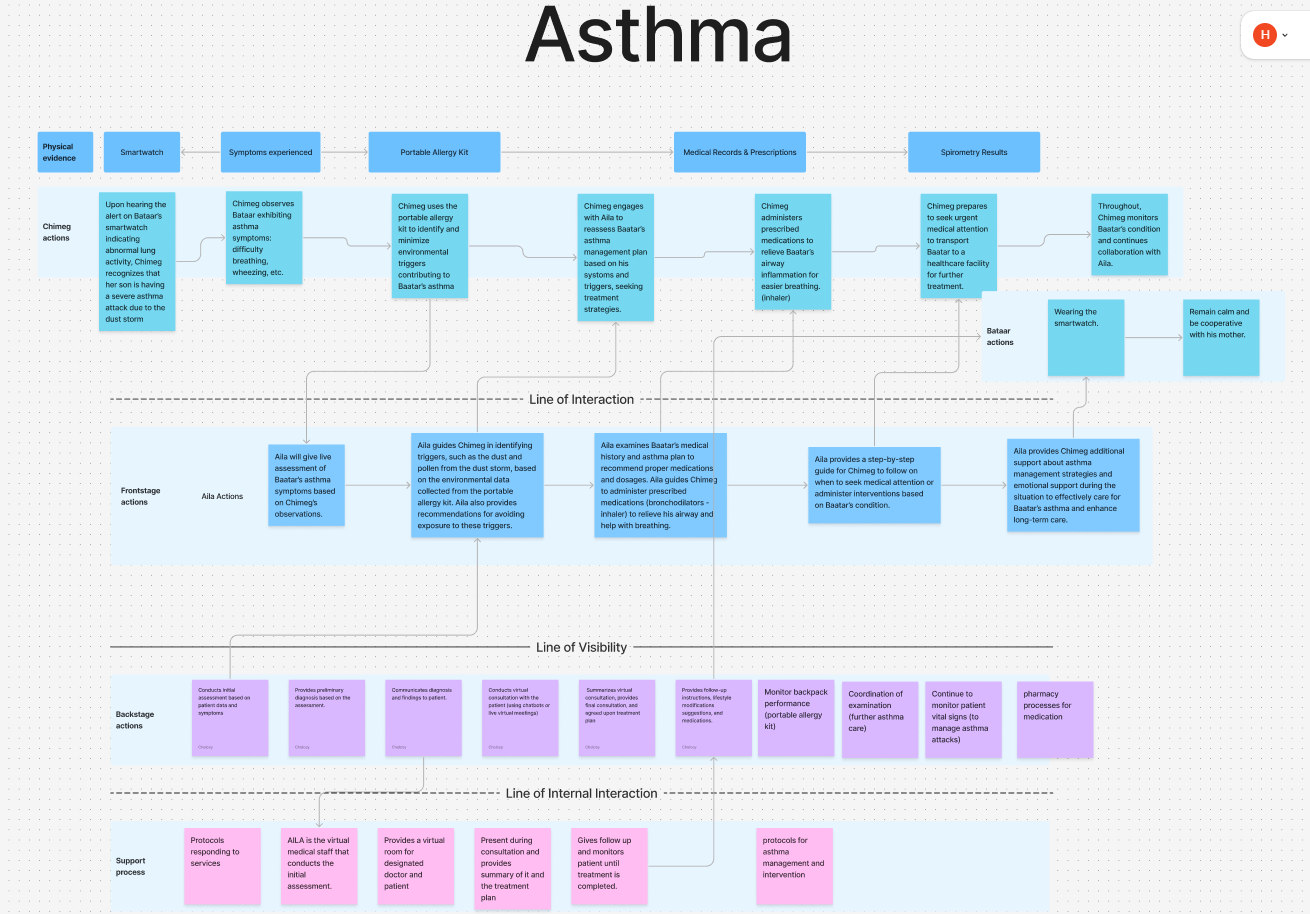
LifeSaver is a portable healthcare ecosystem that combines physical medical equipment with an intelligent software assistant.
- Medical Pod: A compact kit containing treatment tools, sensors, and essential medical supplies.
- AILA (AI Living Assistant): A mobile and AR interface that guides procedures, assists with diagnosis, and monitors patient vitals in real time.
Research & Insights
Our team conducted generative research across urban, rural, and disaster-relief scenarios. Personas and workflows were mapped for emergencies, medication delivery, and routine healthcare tasks.
Three recurring needs emerged: clarity under stress, portability, and resilience without internet access.
Designing for Samsung Flip 5
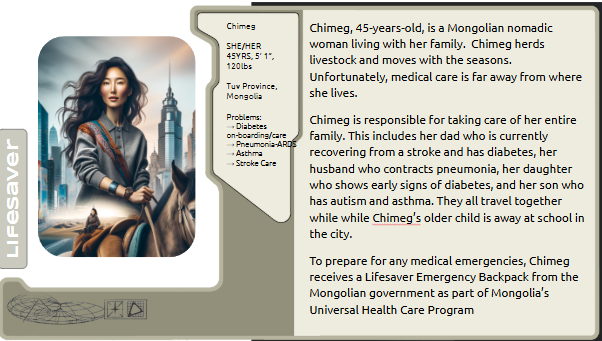
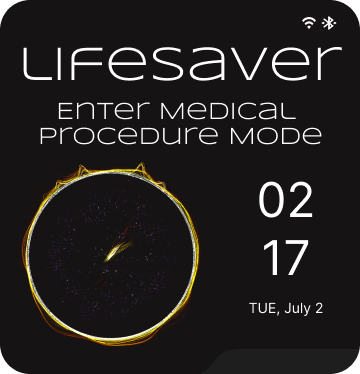
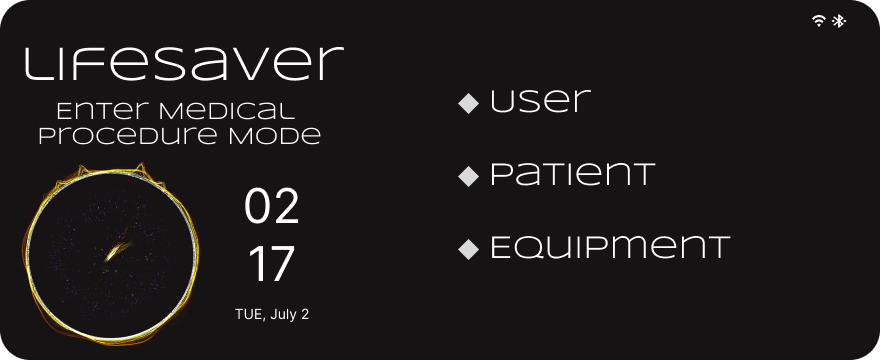
We selected the Samsung Flip 5 because its foldable form factor supported two distinct modes of interaction. Closed mode enabled quick emergency access and status monitoring, while open mode provided space for detailed procedures and patient information.
- Closed: Vitals, alerts, and emergency actions.
- Open: Procedures, navigation, and patient data.
From Wireframes to High-Fidelity
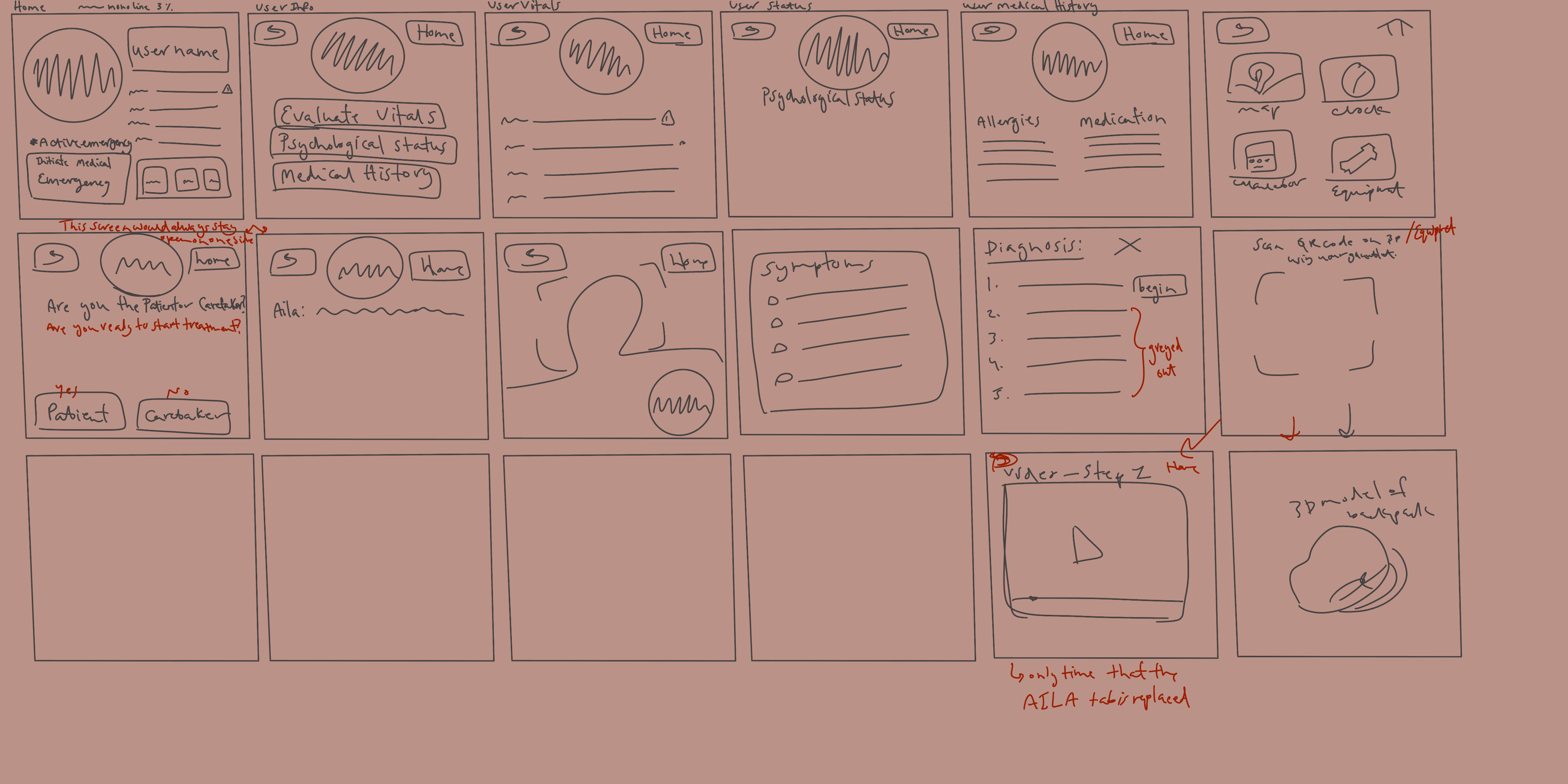
A key challenge was balancing detailed medical guidance with cognitive load. Users needed enough information to safely perform procedures, but too much information risked overwhelming them during stressful situations.
I explored multiple layouts leveraging the dual-screen experience and found that users completed tasks more confidently when procedures were broken into a clear, guided sequence with progressive disclosure.
Key User Flows
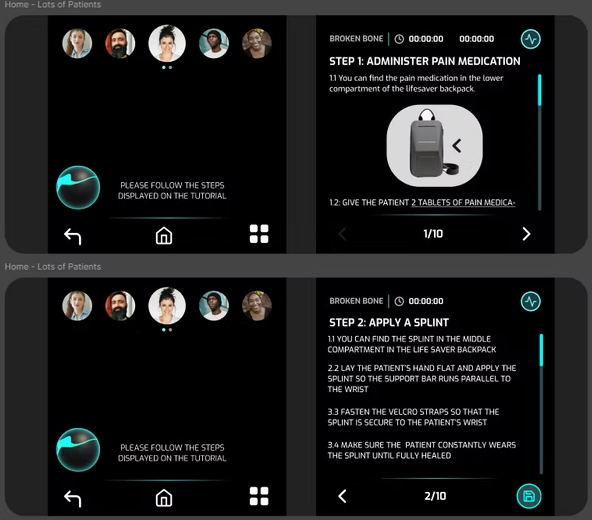
Guided Procedures
Step-by-step checklists with timers, visuals, and confirmations helped users complete unfamiliar tasks with greater confidence.
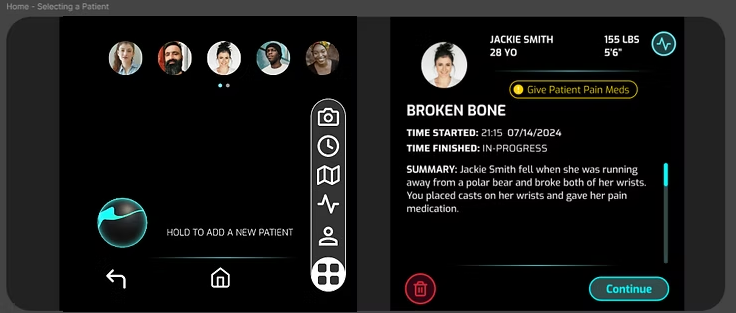
Quick Access Panel
Emergency scenarios required immediate access to tools without leaving an active procedure, leading to a swipe-up utility panel.
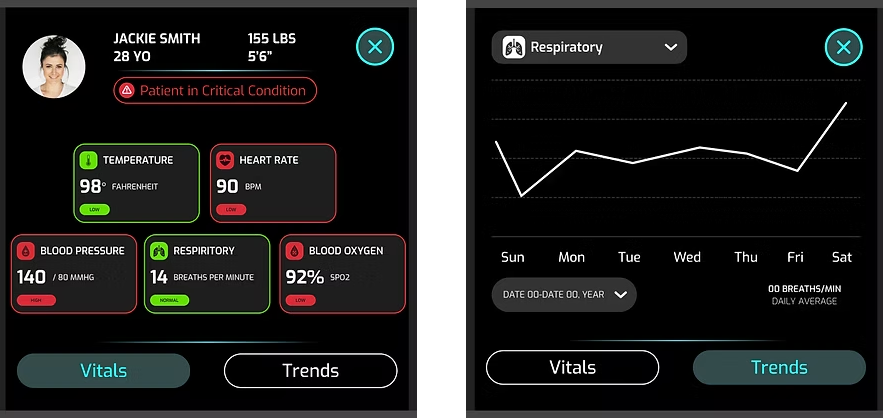
Vitals Monitoring
Dedicated monitoring views provided real-time trends and color-coded alerts for ongoing patient assessment.
Camera & Sensors
Automated capture of vital signs reduced manual data entry and supported more accurate diagnostics.
Field Testing on Devon Island
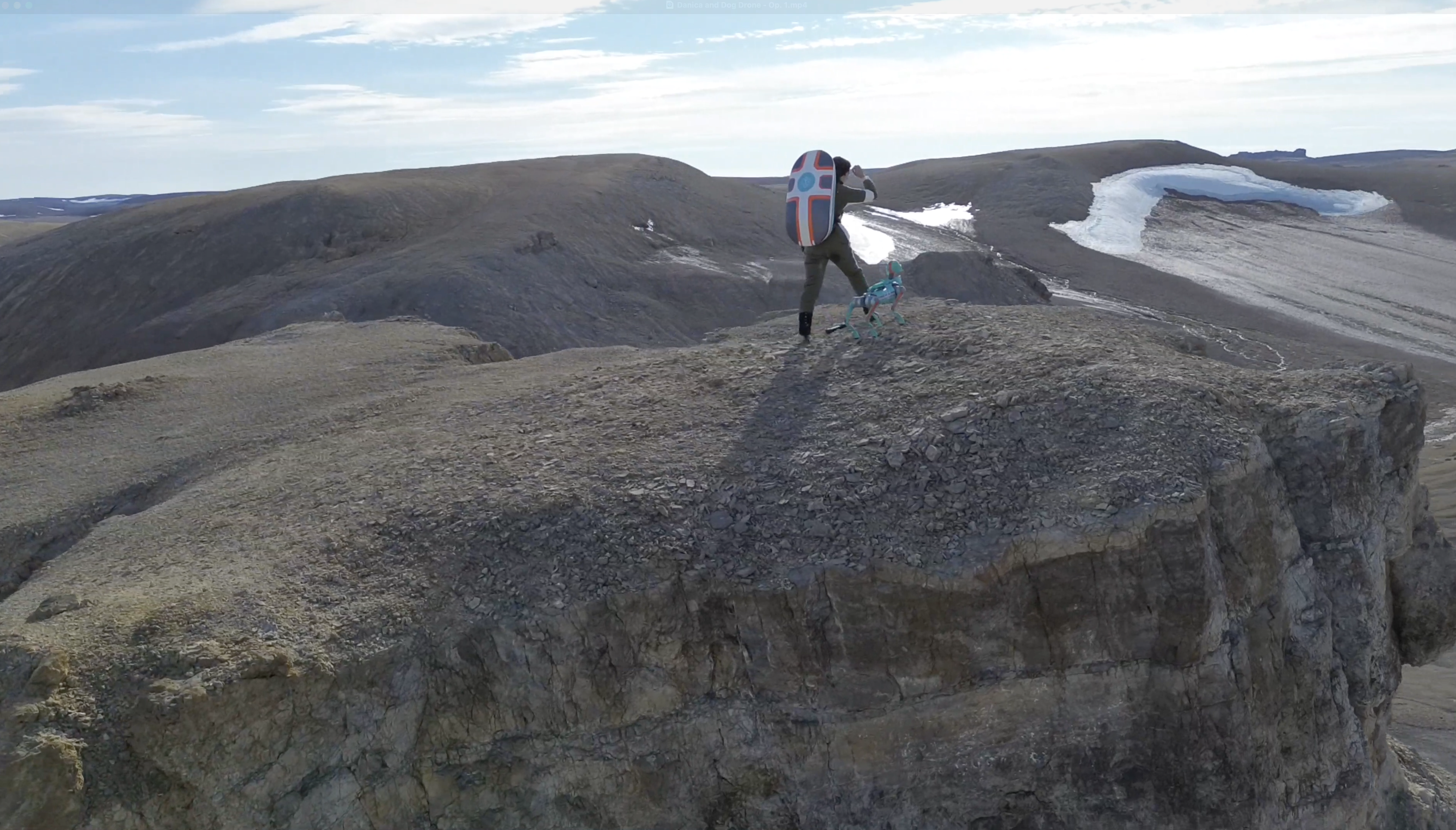
LifeSaver was evaluated on Devon Island, a Mars analog research site, using Wizard-of-Oz simulations. A team member joined a NASA training expedition and conducted remote testing in a realistic field environment.
Because the AI system was still under development, the San Diego team acted as the AI assistant behind the scenes. This allowed us to test workflows and validate the experience before the AI was fully built.
Testing revealed three key issues: instructional hierarchy needed to be clearer, visual feedback needed to be stronger, and users needed a hands-free way to access guidance while performing procedures.
Iteration
Improving Instructions
We restructured procedures into smaller substeps, added richer visual references, and improved navigation between steps so users could look ahead or review previous instructions more easily.
Supporting Hands-Free Workflows
To address situations where both hands were occupied, we paired the mobile experience with Rokid Max AR Glasses, allowing users to view guidance without interrupting procedures.
These changes reduced confusion and created a smoother, more confident experience for participants.
Impact & Reflection
Participants successfully followed guided workflows and completed simulated procedures with minimal facilitator intervention.
Users reported greater confidence when navigating unfamiliar medical procedures with AI-assisted guidance.
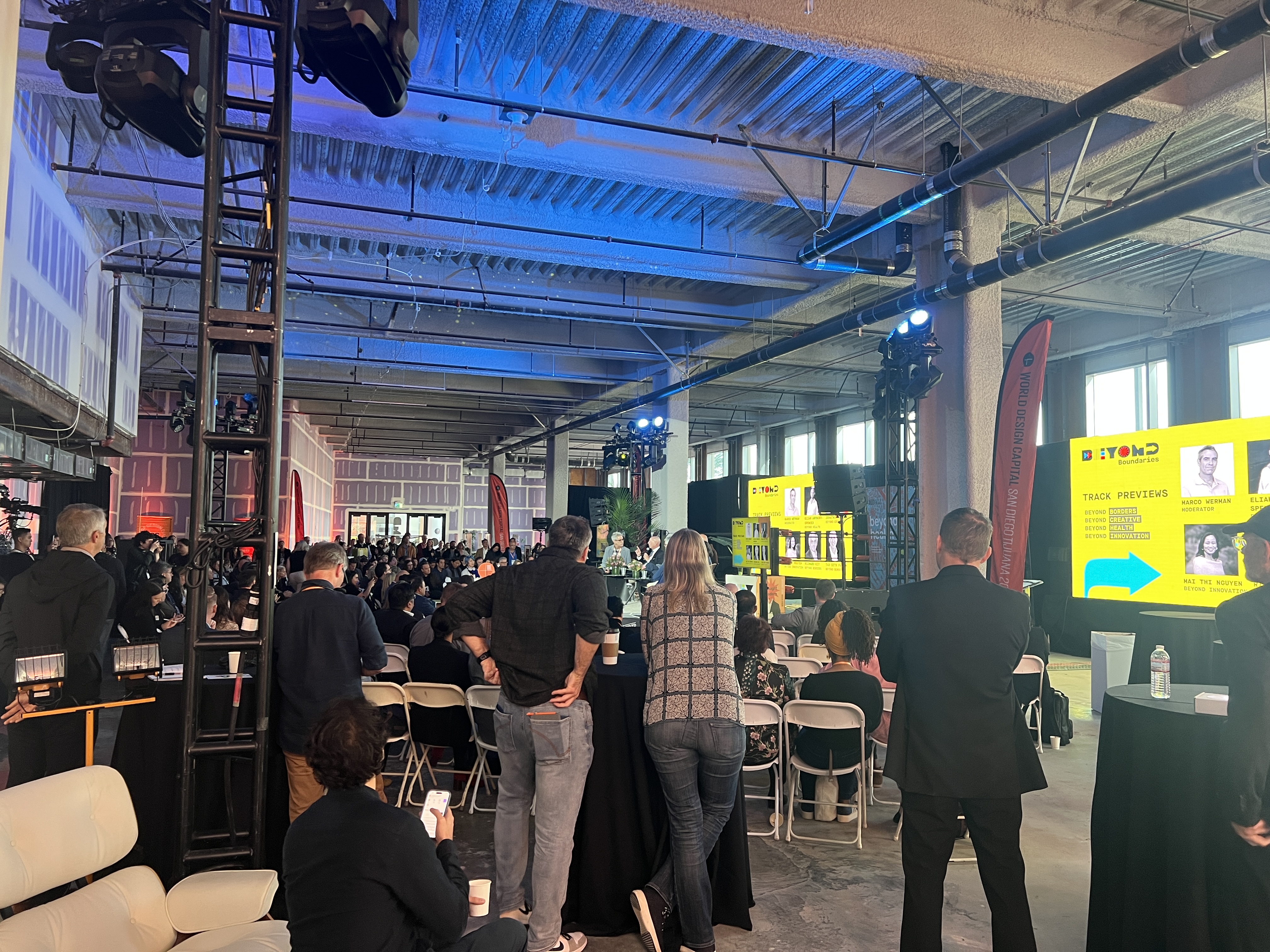
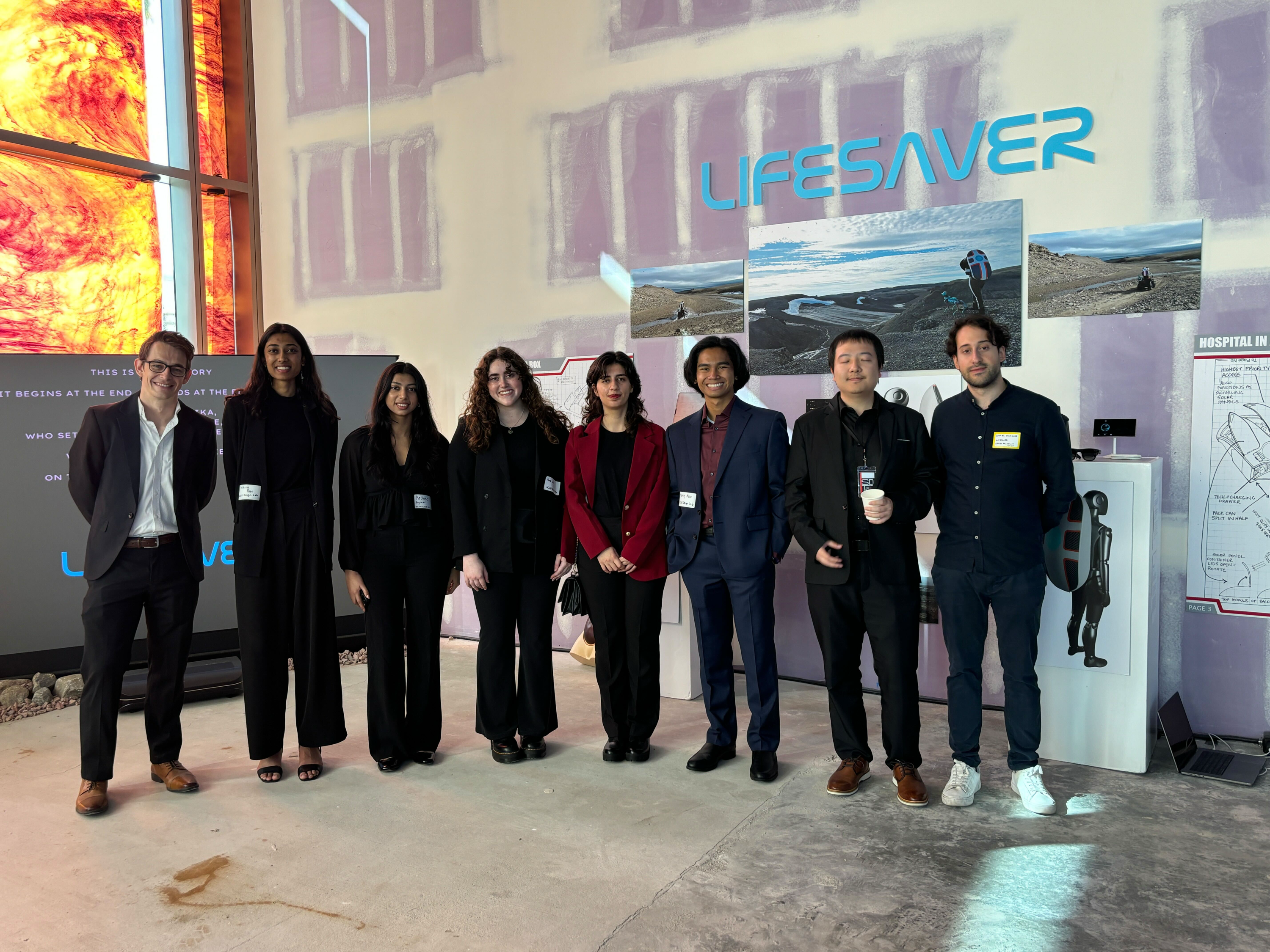
The project was showcased at World Design Capital 2024 and presented to healthcare professionals, designers, and researchers.
I strengthened my skills in AR design, high-stress workflow design, usability testing, and cross-functional collaboration.